Vine review downloader
Amazon Vine
This page explains what the browser extension can do with your Vine reviews. If you're not a member of Amazon Vine, then these details won't apply to you, so you can head back to the main page.
What the extension does
When you navigate to your Vine profile and click on your "Reviews" tab you will see a list
of items awaiting review, and can also click to see your reviewed items.
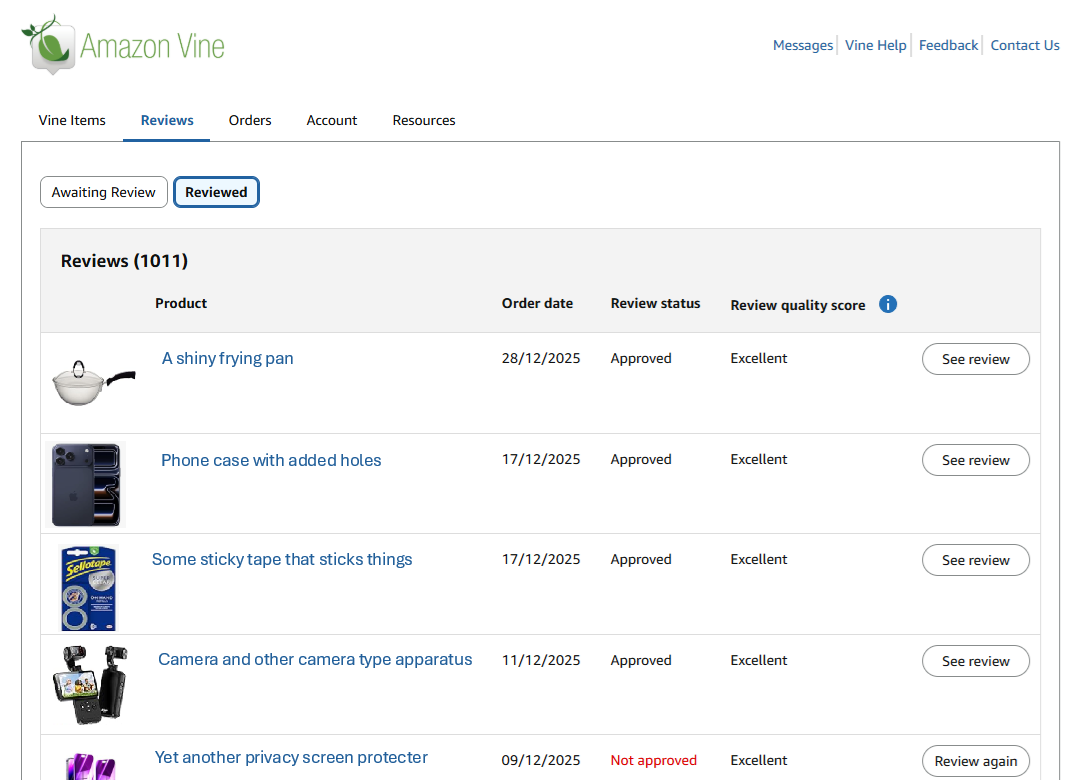
Within that tab you can see the Review status, which is typically "Pending", "Approved" or "Not Approved", as well as the Review quality score, which tends to be one of "Pending", "Poor", "Fair", "Good", or "Excellent".
You can use this extension to review the following details while in the Vine Reviews page:
- ASIN
- Thumbnail image URL
- Product description
- Product URL
- Order date
- Review status
- Review quality score
- Review URL
How it works
Unlike the original profile reviews downloader, this feature needs to fetch your vine reviews one page at a time, because the Vine Reviews page only shows a limited number of reviews per page.
So, when you click on the extension icon
it will first fetch page one of your Vine reviews, then fetch the second page, and so on
until no more reviews are returned.
Once all the reviews have been read, the extension will save a CSV file to your browser containing the Vine reviews.
Why is it so slow?
The Amazon site has in-built protection to prevent automated scraping of reviews. This extension fetches reviews one page at a time to respect the site's terms and avoid triggering any automated detection mechanisms.
This means that there is a deliberate random delay of between 0.5 and 1.5 seconds between fetching each page. Trust me... if we remove that delay then it triggers Amazon's automated detection mechanisms, which will force you to log back in again.
This does mean that loading all of your reviews will take some time - 1,000 reviews will likely take fifteen minutes, however you can cancel the load at any time and the extension will save the reviews that it has loaded. This means that you perhaps could load your entire history of reviews once and then just start the load for the newer reviews, cancelling when you get to the previous point.
Cancelling
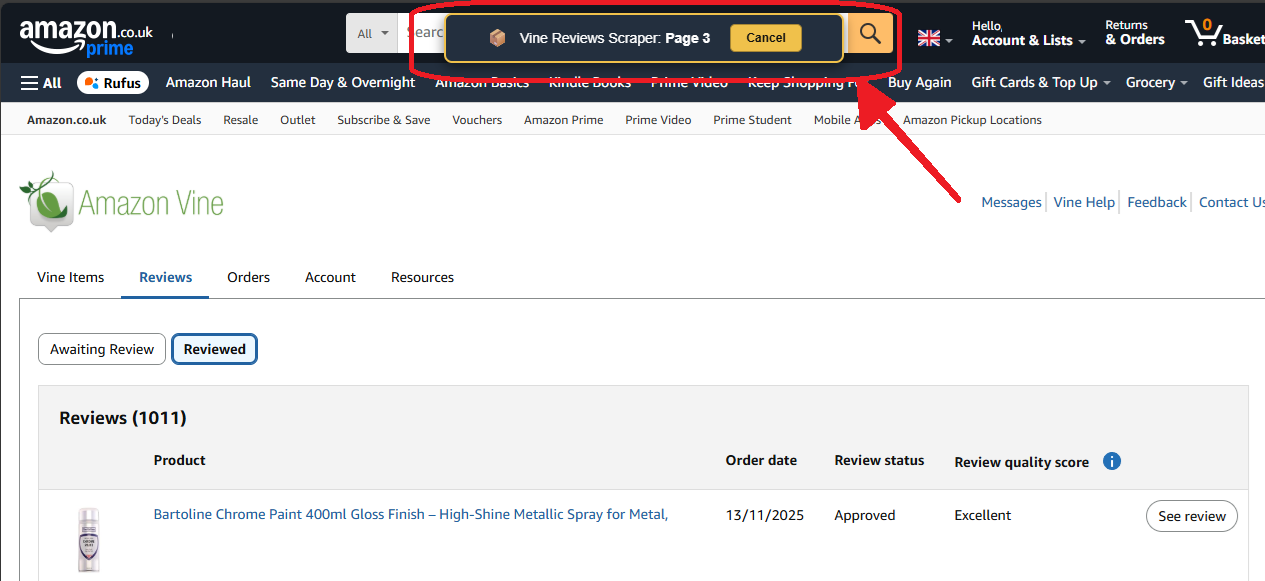
If you need to cancel the review loading process, you can do so by clicking the cancel
button displayed at the top of each page.
The extension will then stop fetching reviews and save the ones that it has already loaded.